Here is my take K610i dissasembly, hopefully this guide will get you one step closer to where you want.
How to take apart a Sony Ericsson k610i cell phone
Tools required: Torx 6 screwdriver
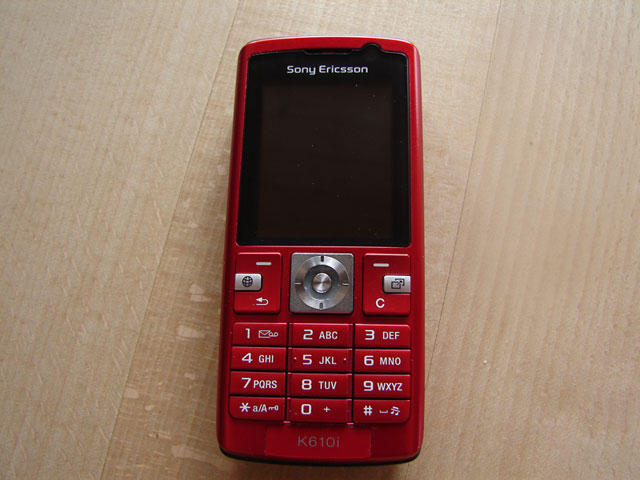
1: Remove battery, SIM card and memory card.
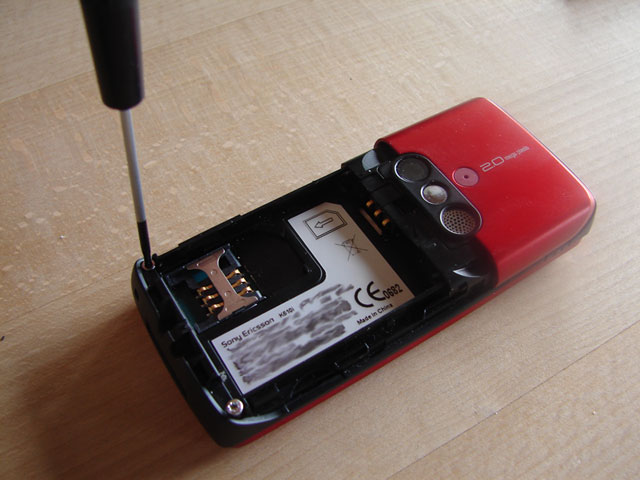
2. Remove the two bottom torx screws.
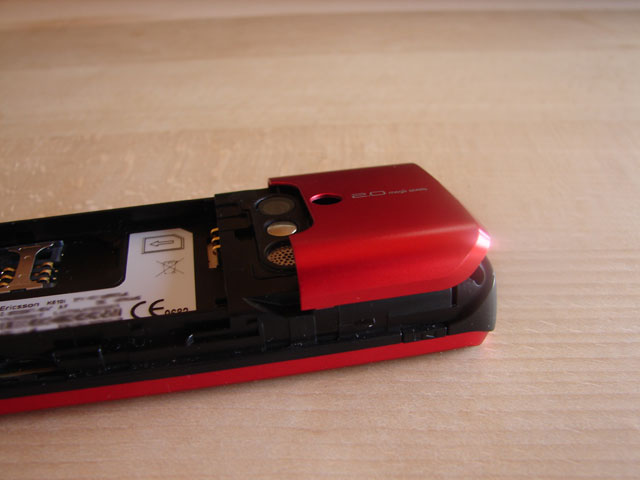
3. Remove the upper backplate by putting pressure on one of the sides. You can help with a small flat philips screwdriver, but be careful not to use to much pressure.
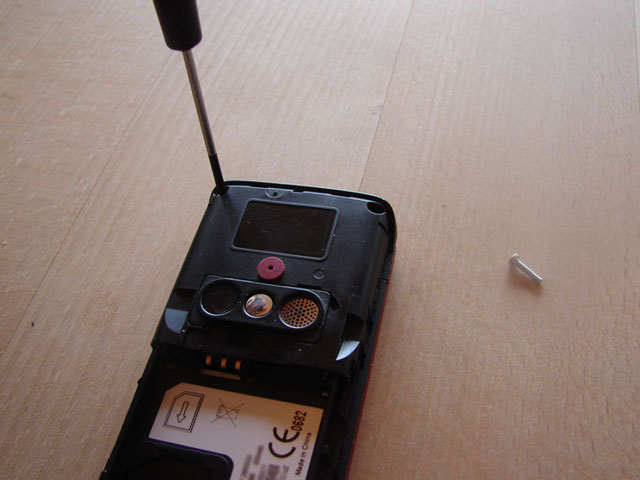
4. Remove the two top torx screws.
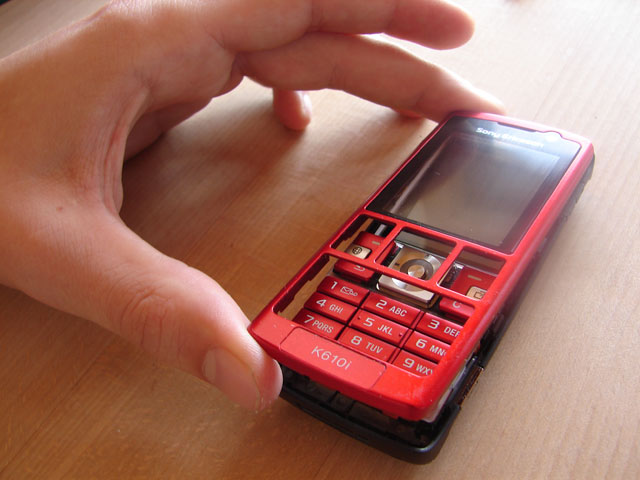
5. The front should now be easy to remove, try opening it from one side and proceed to the other.
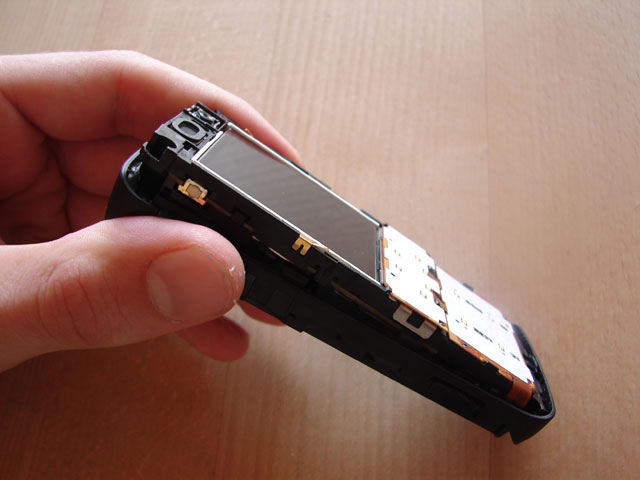
6. The electronics are all in one component, start from the top, but be careful not to damage anything.
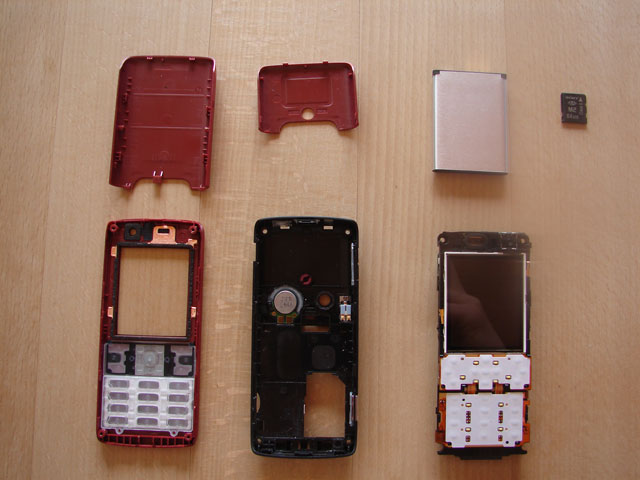
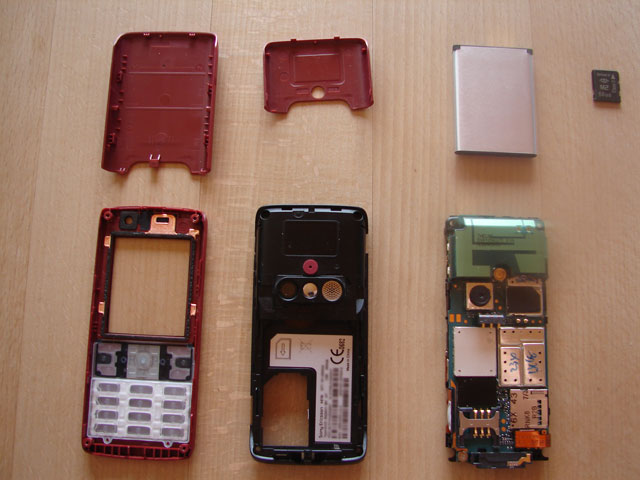
7. The k610i dissasembled and all the components of this phone.
Here is a video of the k610i upper backplate removal, this should help to easier illustrate the procedure:
There are also other dissasembly videos on youtube which might help you.
« Philips PF9966 Information SE W580i iSync and Address Book plugin »
Thanks, that WAS a nice little guide. Never know when I might have to pop it open 🙂
thanks so much I was just about to break mine getting it open !
nice guide there, but do you know how to take out the LCD-screen? im stuck there
this is a very helpful link thank you so much!
i almost broke my upper back plate forcing it to pop up!
thanks again!
Is it possible to replace the body? The black colour part?
Probably, if you find something to replace it with.
Removing the backplate requires some force. This can be risky but should most likely work out okay.
i’m trying to remove the upper back plate but can’t seem to do so. sigh
Superb stuff saved me lots of time and anger along eith the LCD replacement page. Top stuff
To remove the backplate safely, I used my guitar pick (the thin kind for strumming) 😛
can’t get the upper backplate off. which direction should i put the pressure on?
About 2 break my fhone in two, before i startet up the computer and found this guide. Saved my phone. Thanx!
Thanks for the guide,I have a problem with the speaker.I have to pres the back just to get an audio,now I can open it…thanks so much…
wondering if you know what could be wrong, Son had a cracked LCD screen so I bought one on ebay to replace it . However after fiting it all in the screen new screan has no lighting in it. I can vaguely see the the display but it almost it extremely dark. The broken screen although cracked was still able light up? can you guess at what is going on?
Thank you
On the website http://www.formymobile.co.uk/Dismantle/k610disassembly.htm you can see the angle of a screwdriver for takeing the upper backplate off.
Thx for your gude!
I had a problem with charging due to a fall from 2 m on a concrete. I just opened it usin your guide and a guide at the upper mentioned link and removed the connector part, cleaned it, put it back and now it works as new!
Very clear on the instruction.
I have a problem with my mobile. I cannot switch on my mobile. I think the OS down. Can anyone know how to reinstall the OS?
I don’t know where to get a Torx 6 screwdriver can anyone help me? Please mail me at westwoodthebunnie@hotmail.co.uk
thnx man. never really knew how dirty my phone was. xD.. oh and can you help me fix a prob. with my keypad. my #8 key started to soften up and became so sensitive. thanx., E-mail me please..
WAHEY!
Wanted to open mine to spray it, now i can!:D Thanks
Saved my fone, Keypad broke nerly =] thanks a mill
My # key gets stuck and I need to clean the contacts….Did you ever remove the button contacts? Where would I start? Thanks.
i would like to know is it k618i has a same speaker or isit k618i really hav a 3 speaker or is it k618i really hav a 3 speaker?can u disassamble k618i plss…?
OMGGGG HAHAHHA THIS IS A GREAT HELP. i bought a second hand phone from my friend…..and it looks physically tortured. so i wanted to get it a new housing HAHAHA AND THERES WHERE THIS FANTASTIC GUIDE COMES IN!
THANKS A LOTTT XD
GG
Careful when taking the front plate off, I broke my keypad ribbon.
Thanks for the great guide. I am going to get a new cover and had no idea how to open it up! My current cover is all scratched and messed up so yeah.
Keep up the great work!
Hi Andy Undo the ribbon cable and screen is remoed
hi im stuck with the upper back cover do you push it down or up when you put pressure on it also it hurts my fingers to put pressure on it. p.s this guide is the best i looked ages for picture insructions on google on how to take apart the k610i and by far these are the best instructions.
i finally figured out how to open the upper back plate thank you for all your help you rule!!!!!!!!!!!!!!!!!!!!!!!!!!!!!!!!!!!!!!!!!!!!!!!!!!!!!!!!!!
Do you know where you can get the lens plastic lens cover for the camera at the back of the phone?
GREAT THANK YOU!!, to remove the body containing the (broken screen, now fixed through your help!!) screen i used a 60mm guitar pick (as suggested earlier) worked a charm and no stress to any of the plastic bits, came away without pressure or force!! That seemed to be the trickest part of the whole procedure.
(looks like I’m keeping my phone for another few years !!!hahahaha Brilliant!!) Once again THANK YOU!!!!
my microphhone is not working properly.. how to remove it. ?
and i want to know where is the antenna ?